
...

October 19, 2025

Where To Buy Electric Scooter? Complete Buyer’s Guide 2026

Buying electric scooters from wrong places leads to poor quality, no warranty, and safety risks. Many buyers choose cheap options and regret their decisions later. Smart shopping protects your money and ensures reliable transportation. Electric scooters are available through manufacturer websites, online retailers, physical stores including electronics chains and bike shops, and specialized mobility dealers. Dynamic Scooter’s Model B is the bestselling choice for quality and value. Online offers better prices and selection while physical stores provide hands-on testing. Choose authorized dealers for warranty protection and quality assurance. Compare prices across multiple sources and check return policies. Avoid unauthorized sellers who may sell counterfeit products. Look for seasonal sales, promotional codes, and financing options to save money. Verify seller legitimacy through reviews and certifications before purchasing. This guide covers all the best places to buy electric scooters and how to make smart purchasing decisions. 1. What Are the Best Online Retailers for Electric Scooters? Online retailers offer the largest selection and most competitive prices for electric scooters. Shopping online provides access to detailed specifications and customer reviews. Here’s the deal… online shopping gives you the power to compare dozens of models and prices in minutes, something impossible with physical stores. Dynamic Scooter’s official website should be your first stop when shopping for electric scooters online. Dynamic Scooter’s website features their bestselling Model B with detailed specifications, customer support, and exclusive promotions. Direct manufacturer purchases ensure genuine products with full warranty coverage and access to technical support. Visiting the Dynamic Scooter website guarantees authentic products and the best customer service experience. Major e-commerce platforms like Amazon, eBay, and Walmart also sell electric scooters widely. Amazon offers fast shipping, easy returns, and buyer protection programs. Their Prime membership provides free two-day shipping on most scooters. eBay provides access to both new and used scooters from various sellers worldwide. Walmart combines online convenience with local pickup options at thousands of locations. Their marketplace includes third-party sellers alongside direct inventory. Target offers similar services with their online platform and store pickup options. These major retailers provide established customer service and return policies. Specialized electric scooter online stores focus exclusively on mobility products. These retailers offer expert knowledge and specialized customer service from trained staff. They often carry premium brands and provide detailed technical support. Examples include Electric Scooter Guide, Minimotors USA, and Fluidfreeride. Manufacturer direct-to-consumer websites like Dynamic Scooter provide authentic products with full warranty coverage. Buying directly eliminates middleman markups and ensures genuine products with proper documentation. Manufacturers often offer exclusive models and accessories not available through other channels. Direct sales also provide access to technical support and authorized service networks. Online Retailer Type Price Range Selection Quality Warranty Support Customer Service Dynamic Scooter Website Best Value Authentic Model B Full Coverage Expert Support Major E-commerce Competitive Mixed Variable Good Specialized Stores Premium Curated Excellent Expert Marketplace Platforms Variable Mixed quality Limited Basic 2. Which Physical Stores Sell Quality Electric Scooters? Physical stores allow hands-on testing and immediate product availability for buyers. In-person shopping provides expert guidance and personalized service from knowledgeable staff. This is important because… testing a scooter before purchase reveals comfort, handling, and build quality issues that online photos cannot show. Electronics and tech retail chains like Best Buy and Micro Center stock popular scooter models products. These stores offer knowledgeable staff and established return policies with generous time limits. They often provide extended warranty options and technical support services. Inventory focuses on mainstream brands with proven reliability records. However, some well-known brands such as Dynamic Scooter Model B can only be purchased online. Best Buy carries brands like Dynamic Scooter, Razor, Segway, and other established manufacturers in their mobility section. Their Geek Squad service can provide technical support and basic maintenance services. Micro Center focuses more on tech-savvy consumers with higher-end models and accessories. Both chains offer price matching policies against major competitors. Sporting goods stores including Dick’s Sporting Goods carry recreational scooters for active lifestyles. These retailers emphasize outdoor and fitness applications with knowledgeable staff. Staff understand active lifestyle needs and can recommend appropriate models like the Dynamic Scooter Model B. They often stock safety gear and accessories alongside scooters. Bicycle shops and mobility dealers provide specialized expertise and comprehensive service capabilities. Local bike shops often service electric scooters and stock replacement parts for brands like Dynamic Scooter. Mobility dealers focus on transportation solutions for various needs. These specialists offer the most knowledgeable advice and ongoing support relationships. Warehouse clubs like Costco and Sam’s Club offer bulk pricing on select models. Membership stores provide excellent return policies and customer service with generous satisfaction guarantees. Limited selection focuses on value-oriented models with good reliability records. Seasonal availability means timing purchases around stock cycles. Store Type Expertise Level Service Capability Price Competitiveness Dynamic Scooter Availability Electronics Chains Moderate Limited Good Available Sporting Goods Moderate Basic Fair Model B Featured Bike Shops High Excellent Variable Service Available Warehouse Clubs Low Basic Excellent Limited 3. How Do You Choose Between Online and In-Store Purchases? The choice between online and in-store shopping depends on your priorities and experience level. Each option offers distinct advantages for different buyer types. Now, you might be wondering… which approach saves the most money while ensuring satisfaction? Online shopping is incredibly convenient and often the better choice when you select reliable brands like Dynamic Scooter. Online shopping offers unmatched convenience with 24/7 availability and doorstep delivery. When you choose trusted brands like Dynamic Scooter, quality is guaranteed before purchase through established reputation and customer reviews. Here’s the key advantage… online retailers eliminate physical store costs like rent and staff, passing these savings directly to customers. This makes online scooter purchases often more affordable than traditional retail. Price comparison reveals significant differences between online and physical retail channels. Online retailers often offer lower prices due to reduced overhead costs. Dynamic Scooter’s website frequently offers the best prices on their Model B with exclusive online promotions. Physical stores may match online prices but rarely beat them significantly. Seasonal sales

Where To Buy Electric Scooter? Complete Buyer’s Guide 2026 Read More »
How Do You Know When Your Electric Scooter Is Fully Charged?

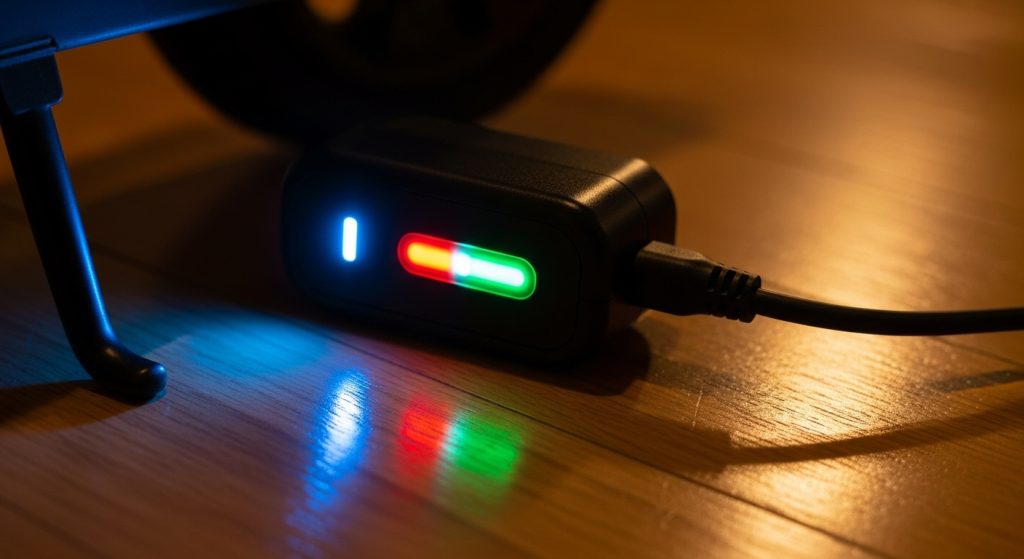
Overcharging damages batteries and creates fire risks. Many riders guess when charging is complete and damage their scooters. Knowing the right indicators protects your investment and keeps you safe. Electric scooters show full charge through LED indicator lights, display percentages, charger status changes, and physical signs like reduced heat. Most chargers change from red to green when complete. Display screens show 100% or full battery bars. Charging typically takes 4-8 hours depending on battery size. Chargers become cooler and fans may stop when finished. Some scooters have mobile app notifications. Faulty indicators can give wrong signals, so learn multiple methods to verify full charge. Proper charging habits extend battery life and prevent safety hazards. This guide covers all the ways to identify when your electric scooter has reached full charge safely. 1. What Visual Indicators Show Your Electric Scooter Is Fully Charged? Visual indicators provide the most obvious signs that your electric scooter has finished charging. Most scooters have multiple visual cues that work together to confirm charging status. Here’s the deal… learning to read these indicators correctly prevents overcharging and extends your battery’s life significantly. LED charging lights are the most common visual indicator on electric scooters. Most systems use red lights during charging and green lights when complete. Some models use amber or yellow lights for intermediate charging stages. The lights are usually located on the dashboard, near the charging port, or on the charger itself. Display screen battery percentage readings provide precise charging information when available. Digital displays show exact percentages from 0% to 100%. Some screens also show estimated charging time remaining. These displays are more accurate than simple light indicators but can still have small errors. Charger indicator lights work independently of the scooter’s own indicators. Most chargers have LED lights that change color when charging completes. Red typically means charging, while green indicates completion. Some chargers use different color schemes, so check your manual for specific meanings. Dashboard symbols and charging icons appear on more advanced scooter displays. Battery symbols may show filling animation during charging. Plug icons or lightning bolts indicate active charging status. These symbols disappear or change when charging finishes completely. Indicator Type Charging Status Full Charge Status Reliability Level LED Lights Red/Orange Green High Display Percentage 0-99% 100% Very High Charger Lights Red/Blinking Green/Solid High Dashboard Icons Active symbols Inactive/Changed Medium 2. How Do Charger Indicators Tell You About Charging Status? Charger indicators provide reliable information about charging progress and completion. Understanding your specific charger’s signals prevents confusion and ensures proper charging. This is important because… different charger brands use different indicator systems, and misreading them can lead to incomplete charging or battery damage. Red, green, and amber light meanings vary by manufacturer but follow common patterns. Red usually indicates active charging or connection to power. Green typically means charging is complete and the battery is full. Amber or yellow lights often show intermediate states like initialization or cooling periods. Solid versus blinking light patterns provide additional information about charging status. Solid lights usually indicate stable conditions like active charging or completion. Blinking lights may show initialization, error conditions, or temperature management. Fast blinking often indicates problems that need attention. Charger fan noise and heat changes give physical clues about charging activity. Active charging generates heat that triggers cooling fans. Fans typically run continuously during heavy charging periods. When charging completes, fans may stop or run less frequently as heat decreases. Different charger types use varying indicator systems that require specific knowledge. Smart chargers have multiple lights and complex patterns. Basic chargers may have only one light with simple on/off indication. Fast chargers often have additional indicators for temperature and current levels. Light Color Common Meaning Pattern Type Action Required Red Charging active Solid Continue charging Green Charging complete Solid Safe to disconnect Amber/Yellow Initialization/Cooling Solid or blinking Wait for change Blinking Red Error condition Fast blinking Check connections 3. What Do Battery Level Displays and Gauges Mean? Battery displays provide detailed information about charge levels and charging progress. Understanding how these displays work helps you make better charging decisions. Now, you might be wondering… how accurate are these displays really? The answer depends on the technology used and the age of your battery. Digital percentage readings show specific charge levels from 0% to 100%. These readings are calculated based on voltage measurements and battery algorithms. Accuracy is highest when batteries are new and calibrated properly. Older batteries may show less accurate readings due to capacity degradation. Battery bar indicators use visual bars or segments to show charge levels. Each bar typically represents 10-25% of total capacity. These indicators are less precise than percentage displays but easier to read quickly. Some systems combine bars with percentage numbers for better accuracy. Voltage readings provide technical information about actual battery condition. Fully charged batteries should read specific voltages depending on their type. Lithium batteries typically read 4.2 volts per cell when fully charged. These readings are most accurate but require technical knowledge to interpret. Mobile app notifications send alerts to smartphones when charging completes. Apps can provide detailed charging information and history. Some apps allow remote monitoring of charging progress. These features require compatible scooters and proper app setup to function correctly. Display Type Accuracy Level Information Provided Best Use Case Digital Percentage High Exact charge level Precise monitoring Battery Bars Medium General charge range Quick visual check Voltage Reading Very High Technical battery state Professional diagnosis Mobile App High Detailed charging data Remote monitoring 4. How Long Should Electric Scooter Charging Take? Charging time varies significantly based on battery size, charger type, and current charge level. Understanding normal charging times helps identify problems early. Want to know the secret? timing your charging cycles helps you develop better charging habits and catch issues before they become expensive problems. Standard charging times range from 3-12 hours for most electric scooters. Small batteries (5-10Ah) typically charge in 3-4 hours. Medium batteries (10-15Ah) usually need 4-6 hours. Large batteries (15Ah+) may require 6-12 hours

How Do You Know When Your Electric Scooter Is Fully Charged? Read More »

Why Is My Electric Scooter Going Slow? Common Causes & Fixes

Slow electric scooters frustrate riders and waste time. Many speed problems have simple fixes that owners can handle themselves. Understanding the causes helps you get back to full speed quickly. Electric scooters go slow due to battery problems, motor issues, mechanical friction, excess weight, and environmental factors. Low battery charge reduces power delivery and activates speed limiters. Worn motors, brake drag, low tire pressure, and heavy loads all decrease performance. Cold weather reduces battery efficiency while hills demand more power. Most speed problems stem from poor maintenance, aging components, or improper use. Regular battery care, tire pressure checks, and brake adjustments prevent many issues. Professional diagnosis helps identify complex electrical or mechanical problems requiring expert repair. This guide covers the main causes of slow speeds and practical solutions to restore your scooter’s performance. 1. What Battery Problems Cause Slow Electric Scooter Performance? Battery issues are the most common cause of slow electric scooter performance. Most speed problems start with power delivery issues from the battery system. Here’s the deal… your scooter’s speed depends directly on how much power the battery can deliver to the motor. Low battery charge reduces available voltage and triggers speed-limiting protection systems. Most scooters slow down when battery charge drops below 50%. Voltage sag under load causes further speed reduction. The battery management system limits power to prevent damage. Battery age and capacity degradation affect performance even when fully charged. Old batteries cannot deliver peak power like new ones. Capacity loss means less energy storage and shorter range. Internal resistance increases with age, reducing power delivery efficiency. Faulty battery cells create voltage imbalances that limit overall pack performance. One weak cell drags down the entire battery pack. Damaged cells cannot hold charge or deliver power properly. Cell failures often cause sudden speed drops during rides. Temperature effects significantly impact battery performance and scooter speed. Cold batteries deliver less power and have reduced capacity. Hot batteries may trigger thermal protection that limits performance. Extreme temperatures can cause permanent battery damage. Battery Problem Speed Impact Warning Signs Solution Low Charge Gradual slowdown Battery indicator, reduced range Charge battery fully Age Degradation Consistent slow performance Shorter range, slow charging Replace battery pack Faulty Cells Sudden speed drops Voltage warnings, uneven charging Professional battery service Temperature Issues Variable performance Weather-related speed changes Temperature management 2. How Do Motor Issues Affect Electric Scooter Speed? Motor problems directly impact your scooter’s ability to convert electrical power into motion. Even minor motor issues can cause significant speed reductions. This is important because… motor problems often worsen quickly and can cause complete failures if ignored. Motor wear creates internal friction that reduces efficiency and speed. Brushed motors wear out faster than brushless designs. Worn brushes create poor electrical contact and reduced power. Internal components may develop play or misalignment over time. Overheating triggers thermal protection systems that limit motor power to prevent damage. Heavy use, high ambient temperatures, and poor ventilation cause overheating. Thermal sensors reduce power when temperatures exceed safe limits. Continued overheating can cause permanent motor damage. Electrical connection issues prevent proper power delivery to the motor. Loose connections create resistance and voltage drops. Corroded terminals reduce electrical conductivity. Damaged wiring can cause intermittent power delivery problems. Controller malfunctions affect how power flows from battery to motor. The controller regulates motor speed and torque delivery. Faulty controllers may limit power or provide inconsistent performance. Programming errors can cause speed restrictions or poor acceleration. Motor Issue Performance Effect Diagnosis Method Repair Complexity Wear and Friction Gradual speed loss Listen for unusual noises Professional service required Overheating Sudden power reduction Feel motor temperature Improve ventilation, reduce load Connection Problems Intermittent speed issues Check connections visually DIY repair possible Controller Faults Erratic performance Professional diagnostics Professional service required 3. What Mechanical Problems Slow Down Electric Scooters? Mechanical friction and alignment issues rob power from your scooter’s motor. Small mechanical problems can cause surprisingly large speed reductions. Now, you might be wondering… how much difference can mechanical issues really make? The answer is often 20-30% speed reduction from seemingly minor problems. Tire pressure affects rolling resistance and overall scooter performance significantly. Under-inflated tires increase rolling resistance and reduce speed. Low pressure also increases tire wear and reduces range. Proper pressure improves efficiency and extends tire life. Brake drag occurs when brakes do not fully release after use. Dragging brakes create constant friction that slows the scooter. Brake cable tension, pad alignment, and hydraulic issues cause drag. Even slight brake contact reduces speed and wastes battery power. Chain or belt tension affects power transfer efficiency from motor to wheels. Loose chains skip and waste power during acceleration. Tight chains create excessive friction and wear. Belt drives need proper tension for optimal power transfer and longevity. Bearing friction in wheels, steering, and folding mechanisms reduces efficiency. Dirty or worn bearings increase rolling resistance. Lack of lubrication causes bearings to bind and create drag. Regular bearing maintenance prevents friction-related speed loss. Mechanical Problem Speed Loss Easy Check Method Maintenance Frequency Low Tire Pressure 15-25% Pressure gauge check Weekly Brake Drag 10-20% Spin wheel freely Monthly Chain/Belt Issues 5-15% Visual inspection Monthly Bearing Friction 5-10% Feel for smooth rotation Quarterly 4. How Does Rider Weight and Load Impact Scooter Speed? Weight significantly affects electric scooter performance, especially on hills and during acceleration. Most riders underestimate how much weight impacts their scooter’s speed. Want to know the secret? staying within weight limits and reducing unnecessary cargo can dramatically improve performance. Weight limits exist for safety and performance reasons. Exceeding limits stresses the motor, battery, and mechanical components. Heavy loads require more power to achieve the same speeds. Manufacturers design scooters for specific weight ranges to optimize performance. Cargo and passenger weight effects are cumulative and impact all aspects of performance. Extra weight reduces acceleration, top speed, and range. Hills become more challenging with heavy loads. Braking distances increase with additional weight. Hill climbing performance suffers dramatically with excess weight. Motors work harder to overcome gravity and weight. Battery drain increases

Why Is My Electric Scooter Going Slow? Common Causes & Fixes Read More »

How to Clean An Electric Scooter: Step-by-Step Guide

Dirty electric scooters break down faster and look terrible. Many owners skip regular cleaning and face expensive repairs later. Proper cleaning extends your scooter’s life and keeps it running smoothly. Electric scooter cleaning requires specific supplies, careful preparation, and safe techniques to avoid electrical damage. Use mild soap, soft brushes, and minimal water around electrical components. Always power off completely and protect charging ports before cleaning. Clean the frame first, then wheels, avoiding pressure washers and harsh chemicals. Dry thoroughly before reassembly and test all functions afterward. Regular cleaning every 2-4 weeks prevents dirt buildup, extends component life, and maintains optimal performance. Proper maintenance during cleaning catches problems early and saves money on repairs. This guide covers safe cleaning methods, required supplies, and maintenance tips to keep your scooter in perfect condition. 1. What Cleaning Supplies Do You Need for Electric Scooters? Having the right cleaning supplies makes scooter maintenance safe and effective. Wrong products can damage electrical components or void your warranty. Here’s the deal… investing in proper cleaning supplies costs less than replacing damaged parts from improper cleaning methods. Essential cleaning tools include soft-bristled brushes, microfiber cloths, and spray bottles for controlled water application. Avoid stiff brushes that scratch surfaces or damage seals. Use different brush sizes for various components. Microfiber cloths clean without scratching and absorb water effectively. Safe cleaning products for electrical components include mild dish soap, specialized electronics cleaners, and distilled water. Harsh chemicals damage plastic, rubber, and metal finishes. Electronics cleaners evaporate quickly and leave no residue. Distilled water prevents mineral deposits that tap water creates. Protective gear includes rubber gloves, safety glasses, and old clothes for messy cleaning tasks. Gloves protect hands from cleaning chemicals and dirty components. Safety glasses prevent splashing chemicals from reaching eyes. Old clothes allow freedom of movement without worry about stains. Specialized brushes and accessories include wheel brushes, detail brushes, and compressed air for hard-to-reach areas. Wheel brushes clean tire treads and brake components effectively. Detail brushes reach small spaces around controls and connections. Compressed air removes debris without water contact. Supply Category Recommended Items Purpose Safety Notes Cleaning Tools Soft brushes, microfiber cloths Surface cleaning Avoid stiff bristles Cleaning Products Mild soap, electronics cleaner Safe component cleaning No harsh chemicals Protective Gear Gloves, safety glasses Personal protection Always wear during cleaning Specialized Tools Detail brushes, compressed air Hard-to-reach areas Use appropriate pressure 2. How Do You Prepare Your Scooter for Safe Cleaning? Proper preparation prevents electrical damage and ensures thorough cleaning access. Skipping preparation steps can cause expensive damage to sensitive components. This is important because… electrical damage from improper cleaning often voids warranties and requires costly repairs. Power-off procedures start with turning off the scooter completely and removing the key if equipped. Check that all lights and displays are off before proceeding. Allow hot components to cool for at least 30 minutes after riding. Hot surfaces can crack when exposed to cold water. Removing detachable parts provides better cleaning access and protects sensitive components. Take off removable fenders, lights, and accessories according to your manual. Store small parts in containers to prevent loss. Label or photograph complex assemblies before disassembly. Protecting electrical components requires covering charging ports, displays, and control panels with plastic bags or tape. Water in electrical connections causes corrosion and failures. Use waterproof tape that removes cleanly without residue. Double-check all electrical areas are protected before starting. Setting up proper workspace includes choosing a shaded area with good drainage and ventilation. Direct sunlight causes cleaning products to dry too quickly and leave streaks. Good drainage prevents water from pooling around electrical components. Adequate ventilation helps components dry faster after cleaning. Preparation Step Time Required Critical Points Common Mistakes Power Off 2 minutes Complete shutdown, cooling time Rushing while components are hot Remove Parts 5-10 minutes Follow manual, organize parts Losing small components Protect Electronics 3-5 minutes Waterproof covering Incomplete protection Setup Workspace 5 minutes Shade, drainage, ventilation Cleaning in direct sun 3. What Is the Best Way to Clean the Scooter Frame and Body? Frame cleaning requires systematic approach to remove dirt without damaging finishes or electrical components. Different materials need specific cleaning methods for best results. Now, you might be wondering… how do you clean effectively while protecting sensitive areas? The answer involves proper technique and patience. Step-by-step frame cleaning starts with rinsing loose dirt with low-pressure water. Work from top to bottom to prevent recontaminating clean areas. Use spray bottles for controlled water application near electrical components. Avoid directing water streams at seals, joints, or electrical connections. Removing dirt and road grime requires gentle scrubbing with soapy water and soft brushes. Mix mild dish soap with warm water in a bucket. Dip brushes in soapy water and scrub in circular motions. Rinse brushes frequently to prevent spreading dirt around surfaces. Cleaning different frame materials safely depends on identifying aluminum, steel, or plastic components. Aluminum frames resist corrosion but scratch easily with abrasive cleaners. Steel frames need thorough drying to prevent rust. Plastic components can crack from harsh chemicals or extreme temperatures. Dealing with stubborn stains requires patience and appropriate products for each stain type. Oil stains respond to degreasing dish soap and warm water. Rust stains need specialized rust removers safe for your frame material. Road salt requires thorough rinsing with distilled water to prevent corrosion. Frame Material Cleaning Method Special Considerations Products to Avoid Aluminum Mild soap, soft brush Scratches easily Abrasive cleaners Steel Soap, immediate drying Rust prevention Extended water exposure Plastic Gentle cleaners Temperature sensitivity Harsh chemicals Painted Surfaces pH-neutral cleaners Finish protection Acidic or basic cleaners 4. How Should You Clean Electric Scooter Wheels and Tires? Wheel and tire cleaning improves performance and extends component life. Dirty wheels affect braking and handling while hiding potential problems. Want to know the secret? clean wheels reveal wear patterns and damage that dirty wheels conceal, helping prevent accidents and costly repairs. Tire cleaning techniques vary by tire type and tread pattern. Solid tires clean easily with soap and water

How to Clean An Electric Scooter: Step-by-Step Guide Read More »

Shopping Cart
Scroll to Top