


I totally understand how frustrating it is when your electric scooter turns on but won’t move. This is a common problem, and it can leave you stranded in one place especially if you’re in a hurry. The good news is that there are a few things you can do to get those wheels turning again.
If your electric scooter turns on, but it doesn’t go, common issues include motor issues, faulty brake sensor, weak battery, or loose wiring. The speed controller is damaged or the Hall sensor is misaligned, which may cause your electric scooter not to move. You can check these items one by one.
Understanding why your electric scooter isn’t moving is the first step toward fixing the issue. In the following sections, we’ll walk you through the troubleshooting process to get your scooter back in motion.
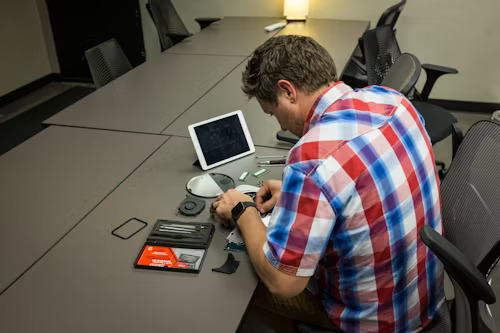
Why Does My Electric Scooter Turn On But Not Move?
1. Check Basic Setup
Before you start fixing your electric scooter’s technical problems, make sure your electric scooter is not in a “lock” or “park” mode. Nowadays, many electric scooters have this safety feature which deactivates the motor if the electric scooter is in a “lock” or “park” mode. Read your display or manual carefully to make sure your electric scooter is in “move” mode.
2. Engine Damage/Overheating
The motor has been working too long, and it stops working. It can happen if you are transporting a heavy rider, riding uphill, or taking a long-distance trip. The motor will cool down in 10 – 15 minutes.
3. Check Zero Start Settings
Some electric scooters have a “zero-start” feature, meaning the scooter requires the throttle to be engaged before it moves. Ensure that your scooter’s zero-start feature is set properly and that you’re following the right sequence to engage the throttle.
4. Check Brake Sensor
Some electric scooters have a “zero-start” feature meaning the motor doesn’t move until you push the throttle. Check to see if your zero start feature is enabled correctly and you are doing the sequence to push the throttle.
5. Check for Loose Connections
Electrical connections, especially leading to and from the motor, battery and controller, may get loose. A loose or disconnected wire will cause power not to go to the motor. Inspect connections and cables to make sure they are connected.
6. Confirm Battery Health/Dead Battery
Dead battery. Sometimes the electric scooter turns on but the battery doesn’t have enough current to run your scooter. See if your battery output is correct with the voltmeter. If the battery shows bad signs, it may need to be replaced.
7. Global Cut-Off Switch
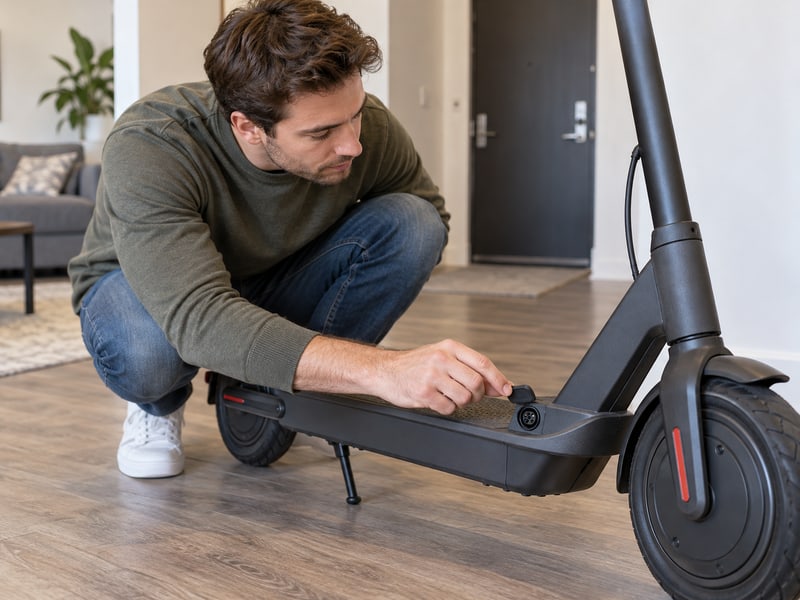
Some electric scooters have a global cut-off switch that prevents the scooter from running for safety. Accidental engagement of the switch will stop the motor from operating. Ensure the global cut-off switch is not engaged and reset it to run.
8. Speed Controller Failure
The speed controller controls the power from the battery to the electric scooter motor. If the speed controller is bad, the scooter may turn on but not move. Visually inspect the controller for damage and check its functionality using the display screen on the scooter.
9. Throttle Issues/Hall Sensor Alignment
A faulty throttle causes the scooter not to go. The Hall sensors that track throttle and motor activity may also get misaligned. The scooter will not register the throttle change if the sensors are out of alignment. Dirt may get into the sensors and cause a misalignment. Check where the sensors line up for any issues.
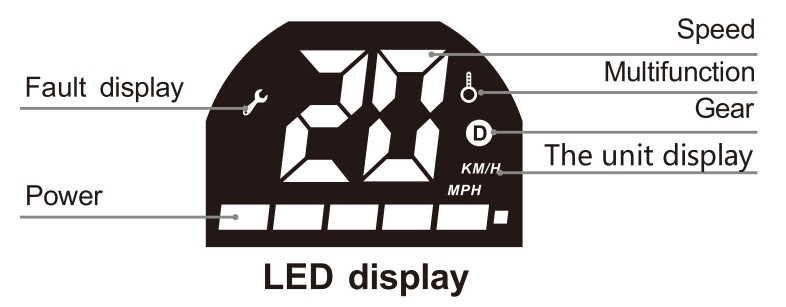
10. Check for Error Codes and Display Messages
If your scooter has a display screen, check if there are error codes on the display. Many scooters show error codes on display that may lead to a faulty motor. You can research these error codes in the owners manual to find out what trouble code is being displayed and what part of the scooter has problem.
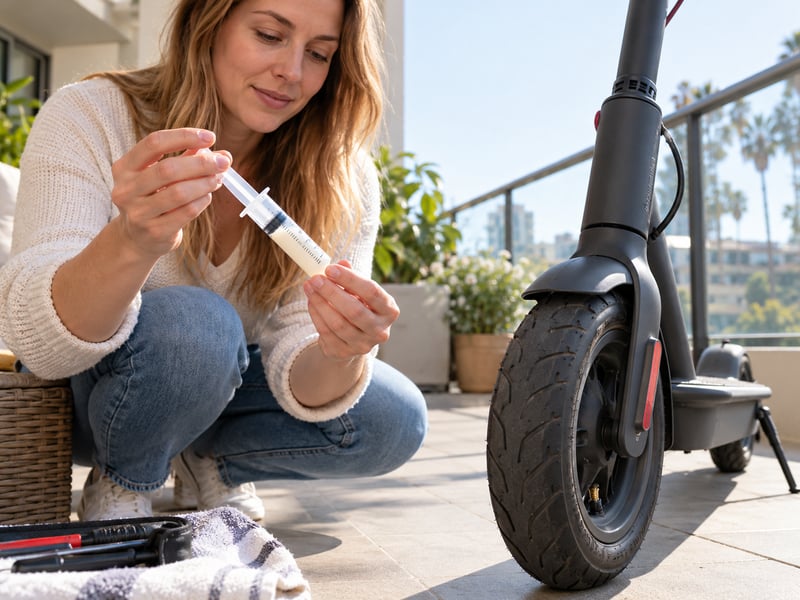
11. Tire Leak Issues
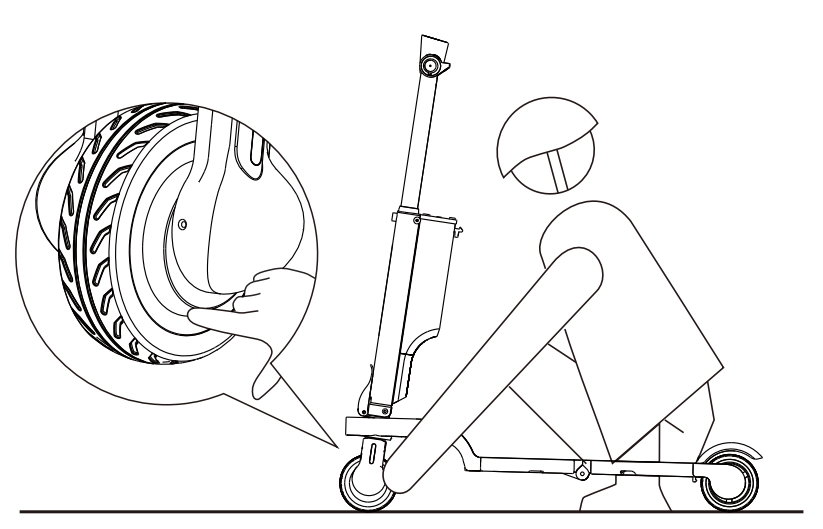
If one of these tires is flat or leaking, this can be the reason the electric scooter does not move. Check both tires to see if they are flat. It can also be leaking slowly. You may need to inflate the tires or replace them.
12. Blown Fuse
A blown fuse may prevent the battery from powering the electric scooter. Check the fuse in the controller if it powers on, but does not go. Replace your fuse and retry the scooter.
13. Overload Protection
If the scooter is carrying more weight than it is supposed to, the overload protection may stop the motor from running. Look at your user manual and see if your scooter has this feature. Ensure you are not overloading it.
14. Obstacle Check
Sometimes pebbles, dirt, or debris may prevent your scooter wheels from turning. Make sure nothing blocks the wheels from turning.
Understanding the Basic Components of Your Electric Scooter
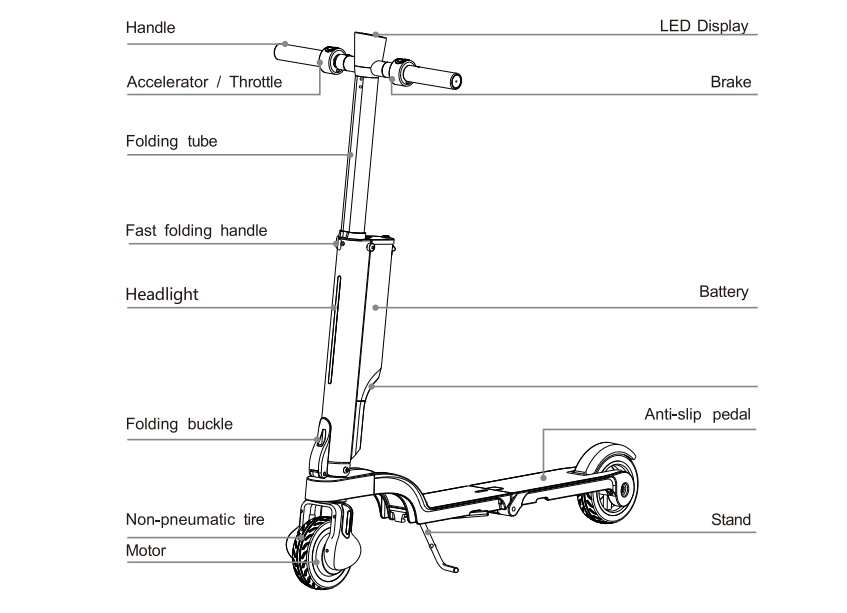
If you’re unfamiliar with the faults mentioned above, I believe educating yourself about these components will help you troubleshoot your e-scooter.
Motor
The motor is responsible for driving the wheels of the scooter. If the motor is faulty, your scooter will not move, even if it turns on. Regular maintenance and inspection can help keep the motor in good working order.
Battery
The motor drives the wheels of your scooter. If the motor is defective, your scooter will not drive, even though it turns on. Perform regular maintenance and inspections to keep the motor operational.
Controller
The controller is the brain of your electric scooter. It controls the speed and power sent to your motor. If the controller is damaged, your scooter may not drive, even though it is powered on. Make sure to inspect and maintain the controller regularly.
Sensors
Your scooter has several sensors, such as brake sensors and Hall sensors, that monitor your scooter. If a sensor is defective, it can prevent your scooter from starting or running. Make sure to check and calibrate sensors regularly.
Braking System
The braking system is integral to keeping ebike riders safe. However, if the brake system is malfunctioning, it will keep your scooter stationary. You may have issues with the brake pads or brakes in general if your brake sensor is engaged, and your scooter will not drive.
Display and Console
The console shows your speed, battery life, and error codes. It alerts you to issues with your scooter, including motor or battery issues. If the display is damaged, you may miss error codes related to your scooter.
Bearings and Suspension
Bearings help the wheels move smoothly. Suspension systems give you a comfortable ride. If bearings are worn out, you will not be able to move smoothly.
Frame and Suspension
The frame or suspension system is the part of the scooter that gives it some structural support and comfort while you are riding, allowing you to have some smooth movement. Over time, as you use the scooter, some parts of it may loosen, or some components might be damaged. You may experience a bumpy ride or the scooter may become faulty. Check that the structure is intact and repair what needs to be repaired.
How to Check if the Throttle Is Not Working (Using a Multimeter)
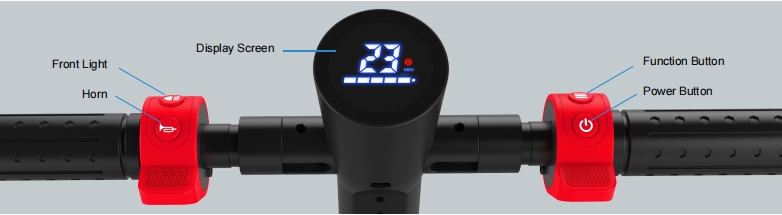
When you have issues with your throttle, it could be difficult to tell because the throttle connects the electrical components, the wiring, and the phase and Hall wires to the speed controller. The sensor could be bad, or the throttle input may be damaged or misaligned, causing the scooter to not work or not be responsive.
Therefore, it is essential to test each part carefully before replacing the throttle, as other issues can mimic throttle failure, such as a bad controller or loose wires.
1. Prepare Tools and Safety Measures
Before testing the throttle, make sure the scooter is powered off, to prevent accidentally engaging it. Wear safety gloves and goggles to shield yourself from electrical shock when working with delicate scooter components like wiring or circuit.
2. Check Throttle Cable Connection
Inspect the throttle cables for loose, frayed, or damaged connection. Check the wiring running to the throttle between the controller. Pay close attention to the connectors, confirming the throttle wire is securely plugged into the controller throttle input terminal (often marked as “TH” or “Throttle”). Check the cable is not crimped or pinched, causing a poor connection or short.
3. Set Up the Multimeter
Set your multimeter to measure DC voltage (most electric scooters operate within the 0-5V range). Ensure your multimeter is in the correct voltage reading mode (DC voltage, often indicated by a “V” and a straight line). Most electric scooters throttles operate within a 0V to 5V range for input signals.
4. Test Throttle Input Signal
Place the multimeter probes on the throttle connector terminals. Place the negative probe of the multimeter on the scooter frame (ground) and the positive probe on the throttle signal wire (usually the green or yellow wire, depending on the brand). Slowly turn the throttle and watch the voltage change on the multimeter. As you turn the throttle, the voltage should gradually increase from 0V up to approximately 4.2–4.5V at full throttle, depending on the model and design of the system.
5. Check Voltage Change
As you twist the throttle, make sure the voltage increases smoothly and linearly from 0V to approximately 4.2V to 4.5V at full throttle. Sudden spikes or jumps in voltage output indicate an issue with the throttle. If the voltage reading does not change, your throttle is not working and further inspection or replacement is required.
6. Determine Throttle Health
If your voltages fluctuate or fail to increase linearly as you twist the throttle, you have a bad throttle. Erratic voltage or no response can result from a faulty Hall sensor or a broken potentiometer inside. If the signal doesn’t change, your throttle must be replaced.
7. Check Hall Sensors (If Applicable)
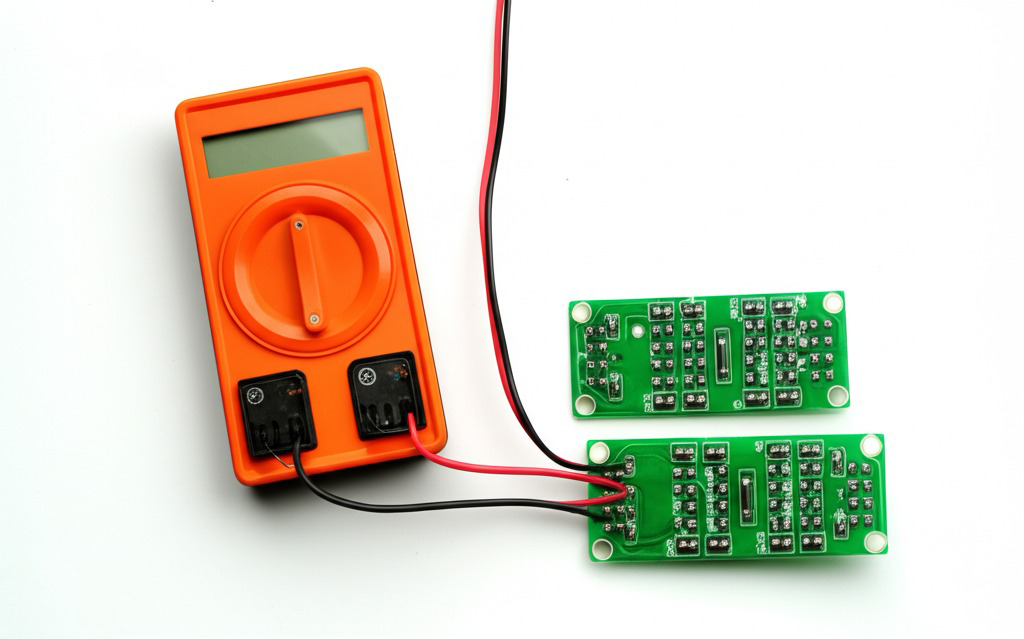
If your scooter has Hall sensors that measure throttle input, check to ensure they are aligned correctly. Hall sensors detect the throttle position and send signals to the controller. Check for misalignment or dirt that could be affecting readings. Use a multimeter and set it to continuity mode. Rotate the throttle to see if there is connectivity as you twist, ensuring the Hall sensors are working correctly (a state change typically LOW-HIGH or HIGH-LOW voltage).
8. Check Controller Respons
Once you confirm the throttle signal is present, make sure the controller is receiving the throttle signal. Use your multimeter on the controller power output to the motor. When you twist the throttle at full twist, the controller should send voltage/current to the motor. If your motor isn’t getting energy, your controller is not functioning, not your throttle.
9. Solutions
Once you confirm the throttle signal is present, make sure the controller is receiving the throttle signal. Use your multimeter on the controller power output to the motor. When you twist the throttle at full twist, the controller should send voltage/current to the motor. If your motor isn’t getting energy, your controller is not functioning, not your throttle.
10. Confirm Throttle Repair After Testing
Finally, after replacing or repairing your throttle, check it again to ensure it’s functioning correctly. Reassemble your throttle and check the voltage again to ensure a smooth 0V – 4.2 – 4.5V reading while twisting the handle. Test your scooter by riding it and make sure the motor engages when you twist the throttle handle.
Why Does My Electric Scooter Turn On But Not Move, Even With a Fully Charged Battery and Normal Display?
- Throttle is not working: The throttle may need repair or replacement if it doesn’t send the correct signal to the controller.
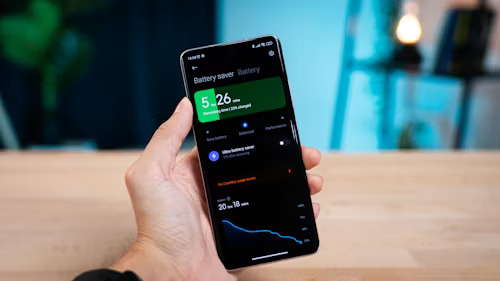
- Battery Management System (BMS): It controls your batteries. Check the multimeter on the battery. Ensure it reads the proper level of charged energy (36V/48V). Your BMS may not allow your scooter to receive energy.
- Electrical connections: Check your cables from the motor, battery, and controller. Use your multimeter to verify continuity. If any of these connections are damaged, your scooter will not receive pow
- Load voltage: Verify your battery outputs the minimum voltage required. If your battery does not exceed 30 Volts (on a 36V system), your scooter will not function. Recharge your battery, or ensure your charger provides the energy to your battery.
- Temperature: If your scooter goes below 32 degrees Fahrenheit or above 95 degrees Fahrenheit, you face challenges when riding your electric scooter. If you want to ride in recommended temperatures, ride between 50 degrees Fahrenheit and 77 degrees Fahrenheit.
- Motor problems: Verify your motor rotates or does not show any signs of damage. If you suspect a motor issue, use a multimeter to verify continuity on the three motor phases. If you do not show continuity or see a high resistance reading on your multimeter, your motor is shorted.
- Hall sensor issues: Measure the voltage of your Hall sensors as you rotate the motor shaft. The voltage will change as the magnet passes through the Hall sensor. You may need to recalibrate or replace the Hall sensor if broken.
- Motor phase line issues: Check the three motor phase lines for any cuts, pinches, or burns on the wires. Inspect these lines using your multimeter to check the resistance. If you see a break (OL) or high resistance on your phase lines, your motor shows signs of damage.
- Motor coil issues: Verify your motor coils using a Multimeter (resistance measurement). If a coil shows signs of damage, you must replace your motor.
- Bearings issues: Spin your front or rear wheels to check for any additional resistance or noises. You can use a multimeter to test your windings and watch if your multimeter shows any dramatic spikes in resistance, which indicates worn bearings.
- MOSFET damage: Measure your MOSFETs (resistance measurement). If you see your MOSFETs show high resistance in one direction only, you must replace them.
- Capacitor failures: Remove and test these with a multimeter to check the proper Is your setting too low from the rating of the capacitor? You must replace those capacitors.
- Controller problems: Use your multimeter on any input voltage and output voltage. If your controller does not show a particular voltage, your controller could be broken.
How to Repair Your Electric Scooter: A Step-by-Step Guide
- Battery Issues: Check the battery voltage using a multimeter to ensure it is within the expected range (typically 36V or 48V). For example, our Dynamic Scooter test is similar to testing a circuit board. The battery could connect to the positive and negative poles directly with a multimeter to check the voltage. If the battery is undercharged or damaged, replace it.
- Charger Problems: Test the output voltage of the charger using a multimeter. A typical scooter charger should provide around 42V for a 36V system or 54.6V for a 48V system. Replace the charger if the output is wrong.
- Blown Fuses: Inspect the fuses in the scooter’s electrical system for visible signs of damage. Use a multimeter to check for continuity; replace the blown fuse with one of the same rating.
- Motor Inspections: Look for any visible damage or obstructions in the motor.Test the motor windings with a multimeter for continuity between the motor phases. If it shows no continuity, consider replacing the motor.
- Speed Controller Failure: Use a multimeter to check for voltage output from the speed controller to the motor. If the controller is not sending the correct voltage to the motor, it may need to be replaced or repaired.
- Cut-Off Switch Check: Make sure the cut-off switch is not pressed by inspecting the location. If it is pressed, you’ll need to turn it off.
- Brake System Check: Inspect the brake pads and sensors. If the brake lever is pushed, the scooter won’t go anywhere.
- Wheel and Bearing Inspections: Manually spin the wheels and listen for resistance or noise. Using a multimeter helps you identify unusual spikes in resistance in the bearings that may be worn and replace the bearings.
- Electrical System Troubleshooting: Check all wiring connections to see if any are corroded, disconnected, or shorted. Use the multimeter to test the continuity across crucial components to ensure connections are present.
- Software and Firmware Updates: If your scooter has a display screen, see if software or firmware updates are available. Visit the manufacturer’s site to update the scooter’s firmware.
- Wiring and Connection Checks: Check the connections between the battery, motor, and controller to ensure they are not worn. Use a multimeter to ensure proper continuity.

If the Scooter Still Won’t Start?
If none of these solutions resolve the issue, it’s time to consult with a professional mechanic or take your scooter to an authorized service center for further inspection.
If these solutions don’t fix the issue, feel free to contact us for professional advice.
How to Maintain Your Electric Scooter:A Step-by-Step Guide
Start by checking common issues like the battery, charger, and motor. Then, inspect the speed controller, brake sensors, wiring, and throttle. Following this step-by-step approach will help identify and fix the problem efficiently.
- Consult the Manual
- Ensure Safety and Performance
- Check Drive and Electrical Systems
- Lubricate and Clean Regularly
- Monitor Battery and Charging
- Inspect Controller and Display
- Conduct Protection Tests
- Store Properly
- Use Original Parts for Replacements
Recommendation: Dynamic Scooter Products
If you’re facing issues with your scooter, consider buying a new Dynamic Scooter Model B. It is a high-performing, reliable, and safe scooter to help you with everyday commuting.

Conclusion
With proper care and troubleshooting, you can keep your electric scooter in top condition. You can enjoy smooth rides and excellent performance for years to come by maintaining your electric scooter.





2 thoughts on “Why Does My Electric Scooter Turn On But Not Move?”
Great article! It’s super helpful to understand the reasons why an electric scooter might turn on but not move—especially for beginners like me. I’ve been researching before getting one and was also curious about the electric scooter price in Bangladesh. If anyone has recommendations or tips on affordable and reliable options, I’d love to hear more! 🚲⚡
Thanks for the kind words! 🙌
For Bangladesh, prices vary by import and local warranty, so compare total cost (incl. parts/service). Quick buying tips:
Aim for 250–350W motor, 36V Li-ion (≈7–10Ah), IP54, dual brakes.
Check spare parts + 6–12-month warranty and a real service point.
Test ride if possible; avoid unknown batteries/chargers.
If you’re in the US/Canada, our affordable, foldable Model B is a great first scooter: https://dynamicscooter.com/product/model-b/
Questions or a 1-page buyer checklist? Email support@dynamicscooter.com
happy to help!